
I spent quite a bit of time connecting via ssh to my homelab. It would help to visually distinguish which tabs in
my terminator are local and which ones are in a remote session. This script gives the active ssh
sessions a red background color to rapidly distinguish between the two. Add it to your
~/.zshrc or ~/.bashrc to get it going.
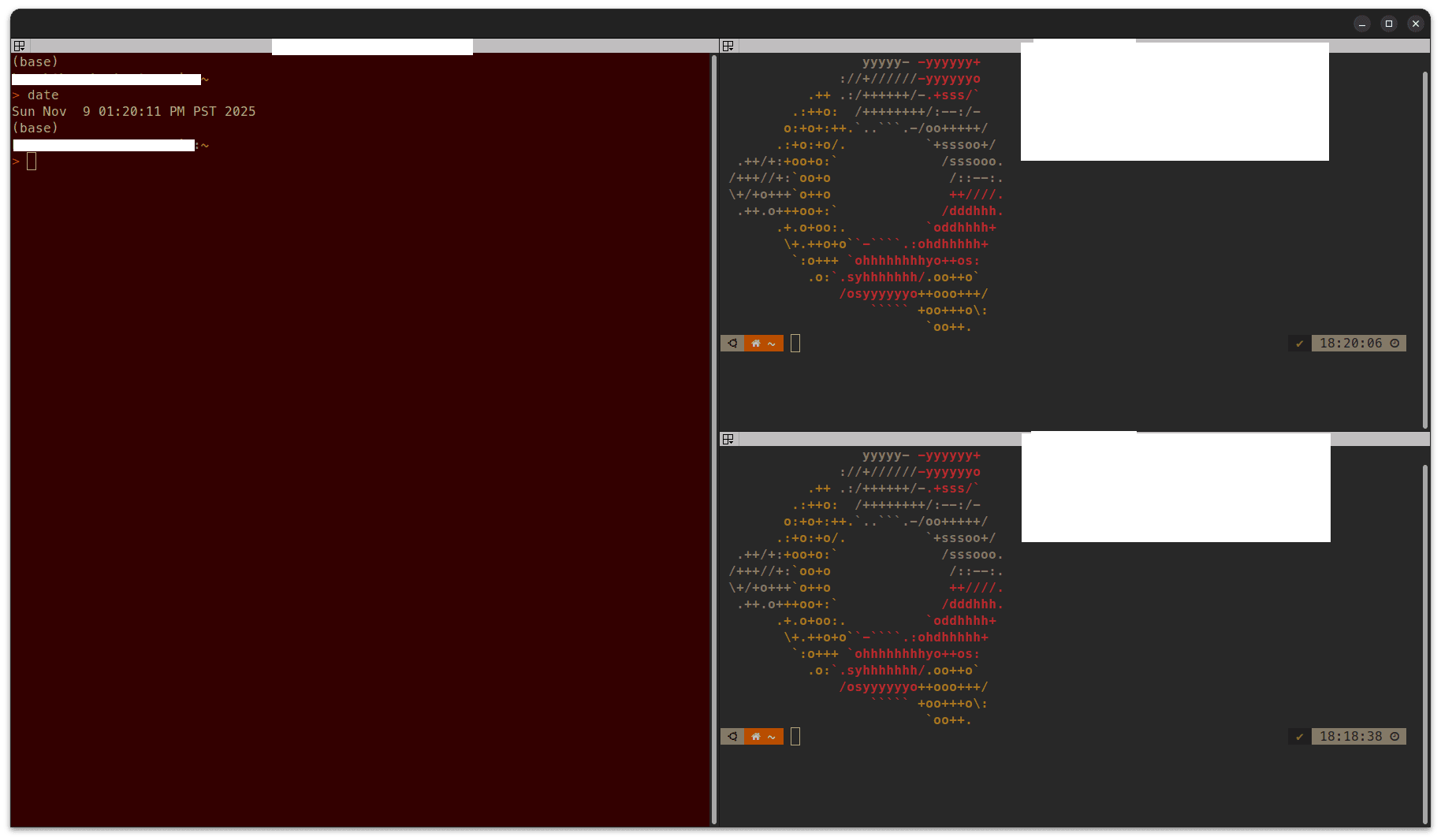
### Change terminal background color whether in active SSH session or not
# Function to set background
function set_bg() {
    printf "\033]11;%s\007" "$1"
}

# Function to get current background (if supported)
function get_bg() {
    # Use default fallback if detection fails
    echo "${CURRENT_BG:-#1e1e2e}"
}

# Wrapper for ssh
function ssh() {
    # Save current background dynamically
    DEFAULT_BG="#282828"
    CURRENT_BG="$DEFAULT_BG"  # fallback in case detection fails

    # Try to read current background via escape sequence
    # Some terminals (like Terminator) may not report it, so fallback is used
    # You could manually override DEFAULT_BG if you know your usual color

    # Change to SSH background
    set_bg "#330000"

    # Run actual ssh
    command ssh "$@"

    # Restore original background
    set_bg "$(get_bg)"
}